Skip to product information
1 of 11

Used- Haswing 2.4G Wireless Remote Control

Used- Haswing 2.4G Wireless Remote Control

Regular price $69.99 USD
Regular price $79.99 USD Sale price $69.99 USD
Sale Sold out
Shipping calculated at checkout.
Quantity

9 in stock

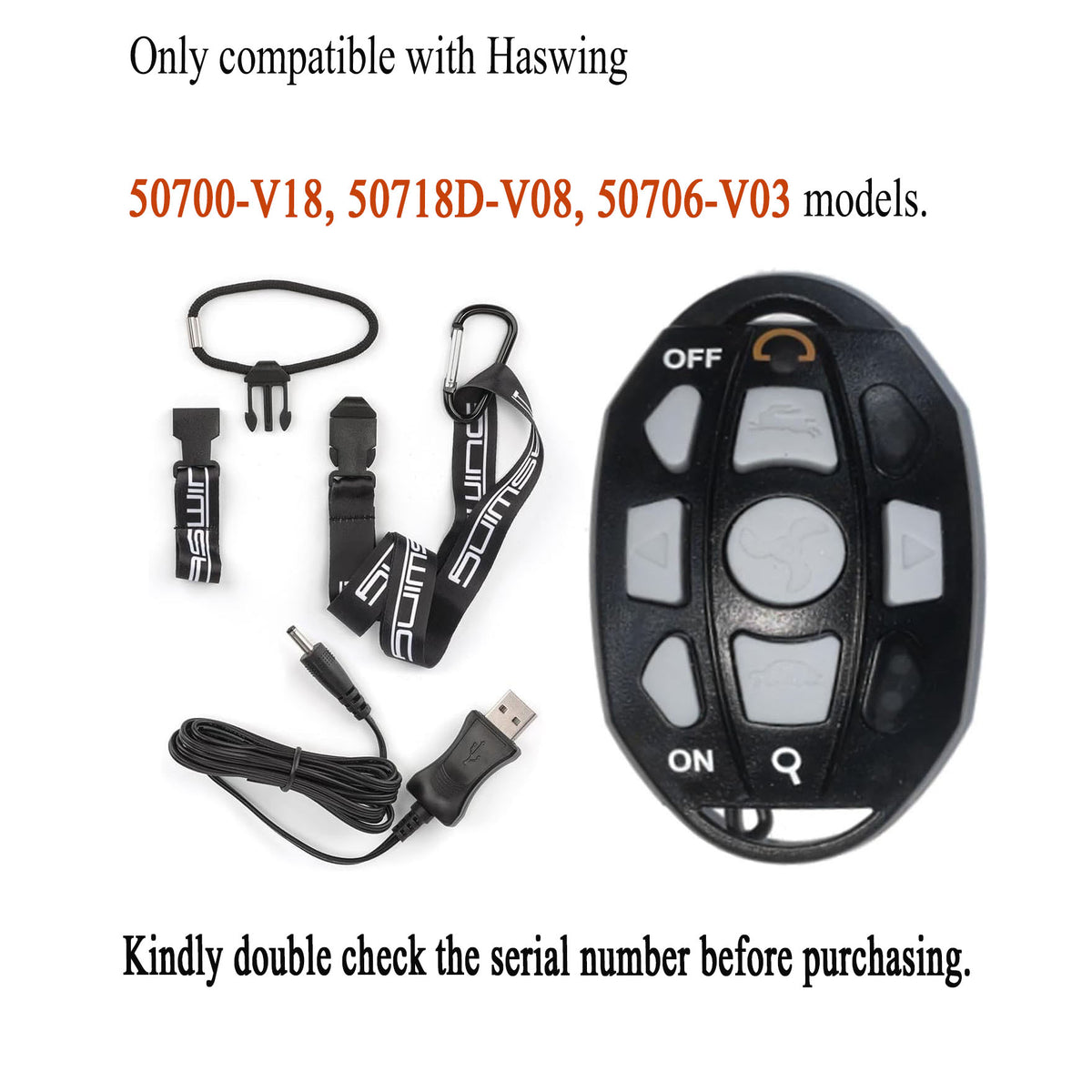
Check Your Motor Version Before Ordering

This is a used Haswing 2.4G wireless remote control for non-GPS trolling motors. Compatibility depends on your motor's exact version, not just its model name.

Compatible Motor Versions

  • 50700-V18
  • 50718D-V08
  • 50706-V03

A model name such as 50700, 50718D, or 50706 alone is not enough to confirm compatibility.

Check the full version code on your motor before purchasing. Do not rely only on the appearance of your existing remote.

Where to Check Your Motor Information

  • 50700 / 50718D bow-mount motors: Check the serial-number label inside the side door at the mounting position.
  • 50706 transom-mount motors: Check the serial-number label on the mounting bracket.


If you cannot identify the version, or your version is not listed above, please contact us with a clear photo of the motor's serial-number/version label before ordering. We can help you confirm which remote to choose.

This listing is for the 2.4G remote, not the older remote version. If your motor uses a different remote system, please confirm compatibility with us rather than assuming this remote will work.


View full details

What's in the box:
Charger not included.

  • 1 × 2.4G Remote Control
  • 1 × USB Charging Cable
  • 1 × Lanyard

Pairing remote to motor

The "Pairing" button on the new 2.4G wireless remote is the same button as the "Turtle" (speed down) button, Please press and hold the "magnifying glass" button below the power status lights on the motor and the "Turtle" button on the remote at the same time for 3 seconds or until you hear 3 beeps to indicate a successful connection.

Release both buttons, the remote and motor are paired successfully.

  • Mode Signal Light 

    • Press the "ON" button, and the indicator light will either stay solid, indicating the remote is in standby mode.
    • Press any button on the remote control and the red indicator light will flash to indicate that a signal is being sent.
    • Press the "OFF" button to turn off the remote; the light will turn off.
  • Operating the Trolling Motor 

    • To activate the trolling motor, make sure the remote is in "ON" state, then press the central "Propeller" button.
    • Press the "Rabbit" button to increase speed.
    • Adjust the speed during use by pressing the "Rabbit" or "Turtle" buttons.
  • Charged via the USB charging cable 

    • The indicator light is red during charging and turns green when fully charged.
    • It’s recommended to use a 5V 500mA charger (charger not included).